How to Compress a PDF to 50 KB, 100 KB, 200 KB or 500 KB
In this guide
"Upload your certificate (PDF, maximum 100 KB)." "File size must be between 50 KB and 500 KB." "Attachment too large."
Job portals, university admissions, scholarship forms, visa applications and government websites all set a strict size limit for PDF uploads. A scan from your phone is often 2–5 MB – far too big – and the form simply refuses it.
This guide shows how to get any PDF under 50 KB, 100 KB, 200 KB, 500 KB or 1 MB, and what to do when a file just will not fit.
Quick answer: Open the page for your limit – 50 KB, 100 KB, 200 KB, 500 KB or 1 MB – select your PDF and press Compress PDF. The tool finds the best quality that still fits under the limit. Nothing is uploaded.
Step by step
- Open the compress page for your size limit (links above), or Compress PDF and choose Exact size.
- Press Select PDF file and choose your document.
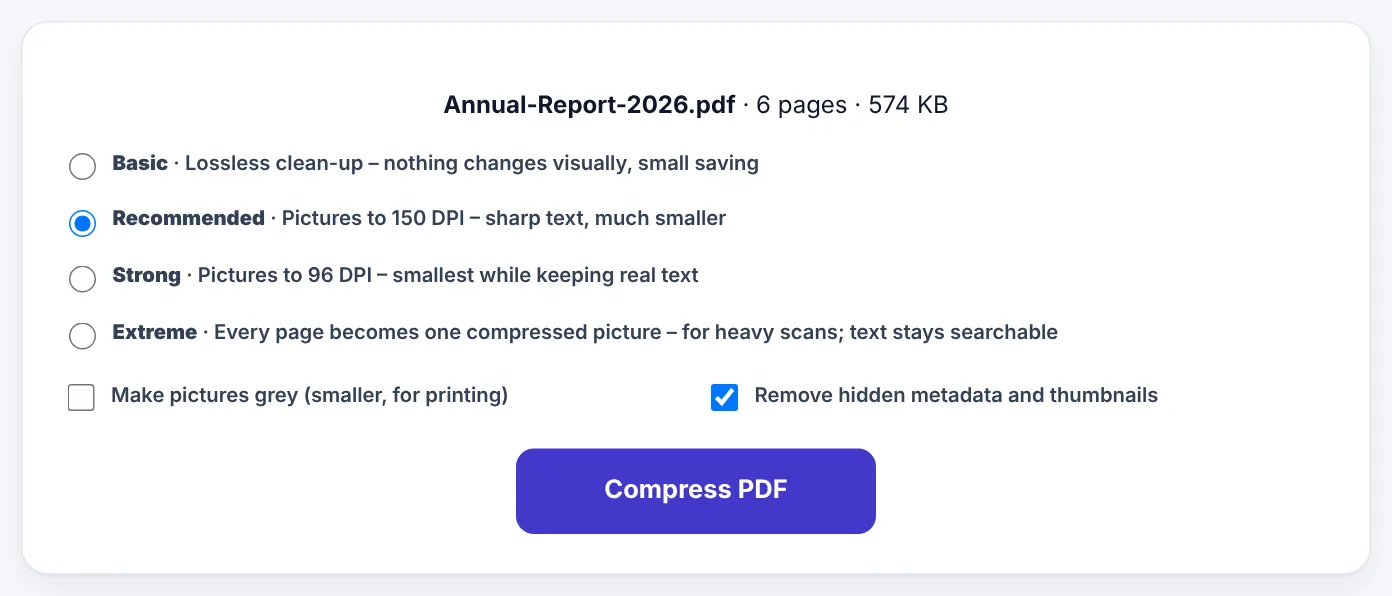
- Check the size in the Exact size box. It is already set for that page – change it if your form asks for something different, for example 300 KB.
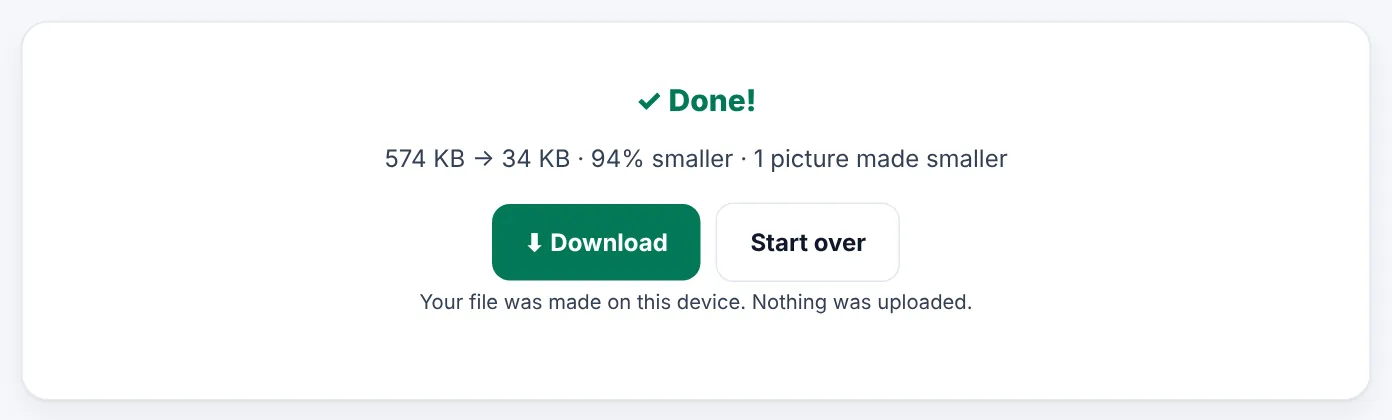
- Press Compress PDF. The tool tries gentle settings first and only goes stronger until the file fits.
- Download the smaller PDF and check that the text is still readable before you upload it.
Try Compress PDFFree, no sign-up, and your file never leaves your device.Open tool →

What fits in each size?
| Limit | Where you see it | What usually fits |
|---|---|---|
| 50 KB | Exam boards, some job and scholarship forms | 1–2 scanned pages, or about 10 pages of typed text |
| 100 KB | Job portals, government sites, scholarship forms | Up to about 5 scanned pages, or 20+ pages of typed text |
| 200 KB | Certificates, transcripts, ID copies, bank statements | Up to about 10 scanned pages, or 40+ pages of typed text |
| 500 KB | University and visa applications | A multi-page document with clear photos |
| 1 MB | Email attachments, full applications in one PDF | Up to about 40 scanned pages, or a full report with charts |
These are rough guides. A typed document (made in Word or Google Docs) is tiny compared with a scan, because a scan is really a photo of every page.
Why are scanned PDFs so big?
When you scan a page with your phone, every page is saved as a colour photograph – often 1–2 MB each. The words on the page are just part of the picture. Compressing a scan means making those photos smaller, so the trick is to keep them just sharp enough to read.
Tip: Most forms are checked in black and white. Ticking Make pictures grey often halves the size of a scan without making it harder to read.
When the PDF will not fit
If the tool tells you it cannot reach your size while keeping the document readable, try these steps in order:
- Remove pages the form does not need. Instruction pages, blank backs of pages and duplicate copies all take space. Use Delete PDF Pages, then compress again.
- Make the pictures grey. Colour costs a lot of space and rarely matters for certificates and forms.
- Split the document. If the form allows several uploads, use Split PDF and upload each part separately.
- Scan again at a lower resolution. If you scanned at 600 DPI, 150–200 DPI is plenty for a form.
- Check the original is really a PDF. A photo saved with a .pdf name may need converting first with JPG to PDF.
Compressing a PDF on your phone
All the compress pages work in your phone's browser – Android or iPhone – with no app to install. Choose the PDF from your files, Downloads or WhatsApp documents, press Compress PDF and the smaller file is saved straight to your phone, ready to upload to the form.
Need an image under a KB limit instead?
Many forms ask for a photo or signature as a JPG, not a PDF. For those, use Resize Image to KB, or the Photo & Signature Resizer when the form also gives exact pixels, such as 200 × 230 px between 20 and 50 KB.
Frequently asked questions
My form says "maximum 100 KB" – will 98 KB be accepted?
Yes. The tool deliberately keeps the file a little under your limit so it is accepted even by portals that count sizes slightly differently.
Will my text still be selectable after compressing?
In the gentle steps, yes – only pictures are made smaller, and text, fonts and links stay untouched. If a large scan has to be turned into pictures to fit, the text is kept searchable.
Can I compress a PDF to 20 KB or 30 KB?
Yes, type the number into the Exact size box. Very small limits work best for a single typed or black-and-white page.
Is my PDF uploaded to a server?
No. SmartPDFConvert compresses the PDF on your own phone or computer. Your documents are never sent anywhere.
Tools used in this guide
 Compress PDF to 50KB
 Compress PDF to 100KB
 Compress PDF to 200KB
 Compress PDF to 500KB
Keep reading
 PDF GuidesHow to Change the Background Color of a PDF (Free, Online)
Change a white PDF to cream, mint, light blue or any colour in under a minute – on your phone or computer, without Adobe Acrobat and without uploading the file.
4 min read Online Forms"Online Application Document Checklist: Photos, Scans, Signatures and File Sizes"
A practical checklist for job, university, exam, visa and government portals - preparing photos, signatures and scanned documents in the right format and size, naming files, and avoiding last-minute upload errors.
9 min read Ebooks & Writing"EPUB vs PDF: Which E-book Format Should You Use?"
The real differences between EPUB and PDF for e-books, study material and self-published books, which one readers prefer on phones and e-readers, and how to convert between them.
10 min read